 Grant Beagle
 finds the grants you can get and helps you write the application.
For small nonprofits. Built from public records and checked by a person. You decide, and you submit.
A flat monthly fee. Never a percentage of an award.
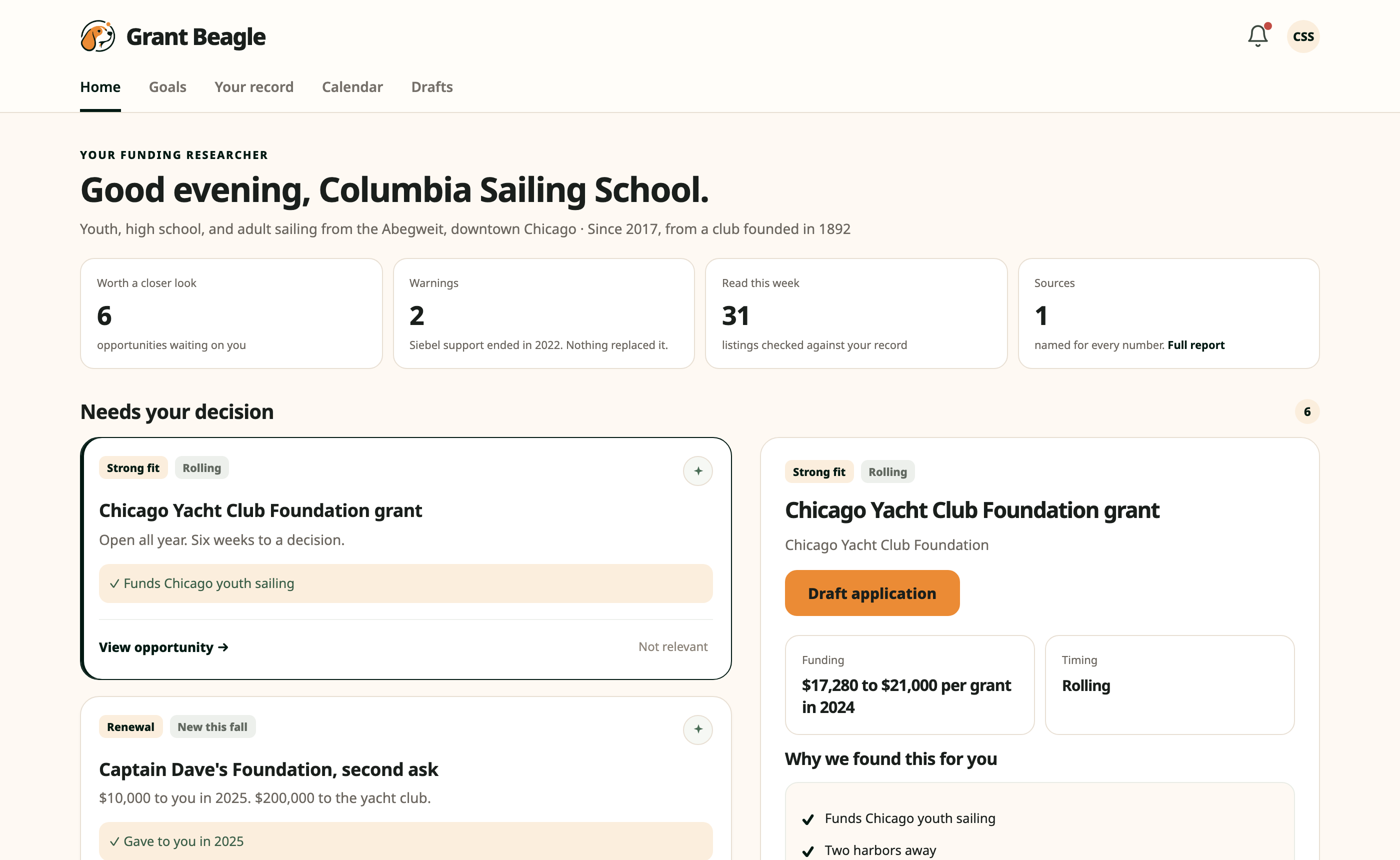
Watch it work.
It reads six public sources every morning.
Three of them are records about your organization and three are about where the money is. Every fact on your page links back to the source it came from.
- City contracts and paymentsEvery dollar the city paid you, by contract number.
- State grant listsAwards and open programs, agency by agency.
- Federal awardsFederal spending records in your name.
- Open grant noticesHundreds a week, checked against your record.
- Foundation tax returnsWho funds groups like you, from their own filings.
- Funders' own pagesRules, dates, and amounts, read at the source.
From the public record to a finished draft, in four steps.
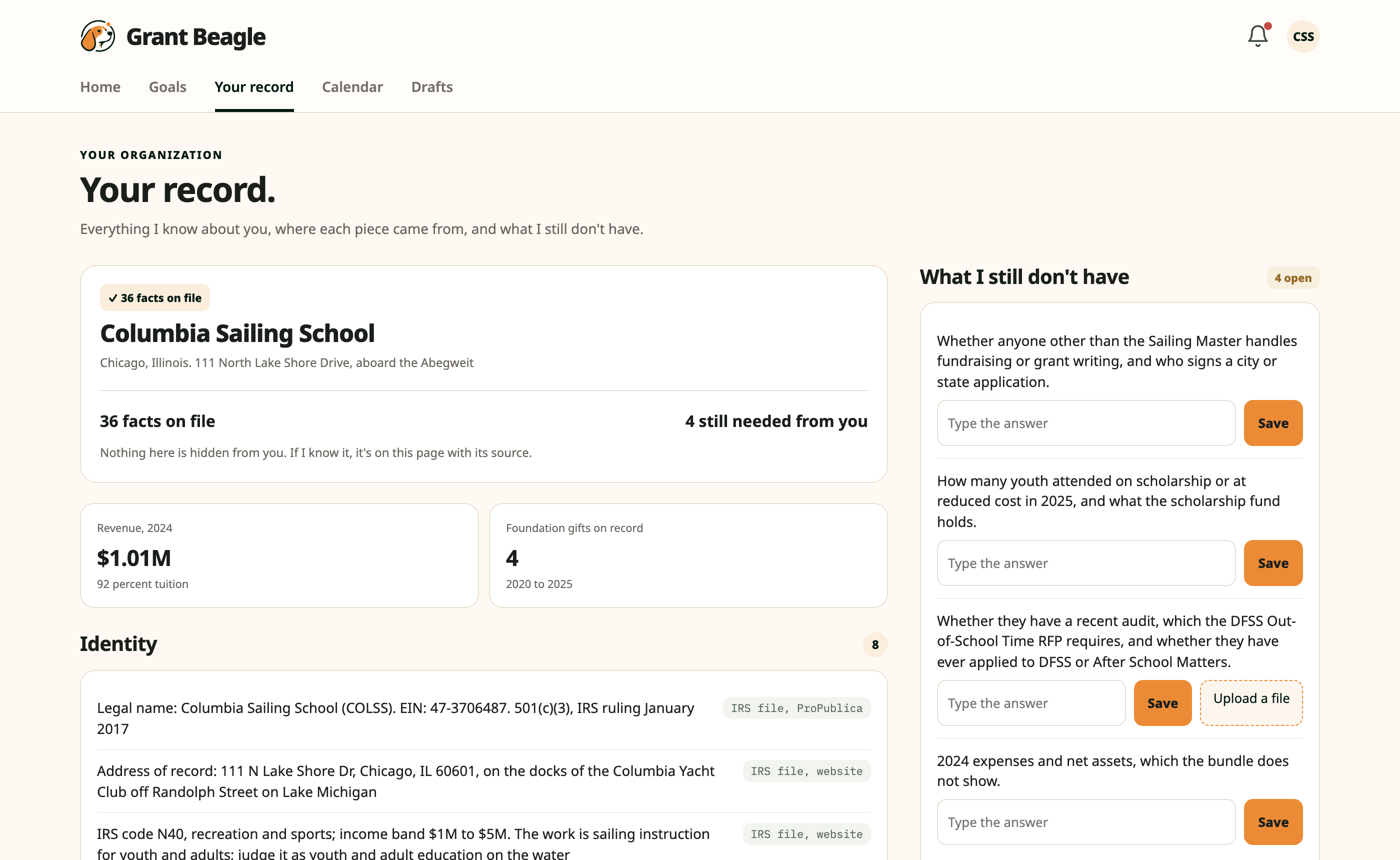
We build your record before you ever sign in.
From the six sources above: who you are, your revenue, every public dollar paid to you, the foundations that have given, and your programs. Each fact names where it came from.
- What the records cannot say shows up as a question. Type the answer, or upload the file.
- Nothing is hidden. If it knows it, it is on this page with its source.
New notices are checked against that record. Only the fits reach you.
Hundreds of listings a week go by. The few worth your time land on your home page, each with the amount and timing from the notice itself.
- Why it fits you, written the way a colleague would brief you.
- What still needs checking before you commit.
- The research trail: the records it read, so you can check the work.
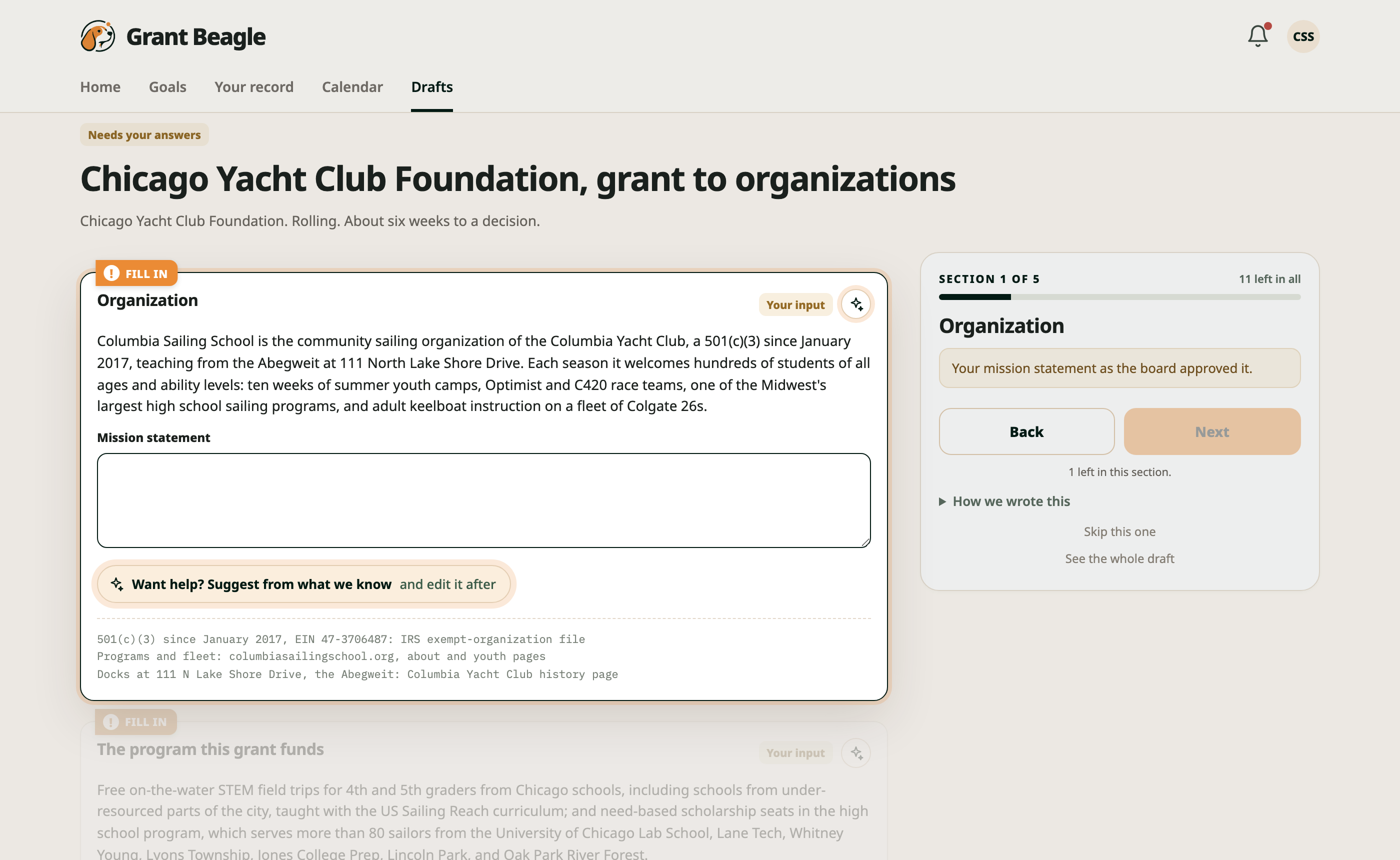
Click Draft application. It writes the first draft from your record.
In the funder's own sections, in the funder's order. Then it walks you through, one section at a time, the way signing a document works.
- Where your record has the answer, it is filled in. Where only you know, there is a box.
- An estimate is marked as one, with the math beside it. Keep it or change it.
- When nothing is left, Build turns the answers into one document and lists the forms the funder also wants.
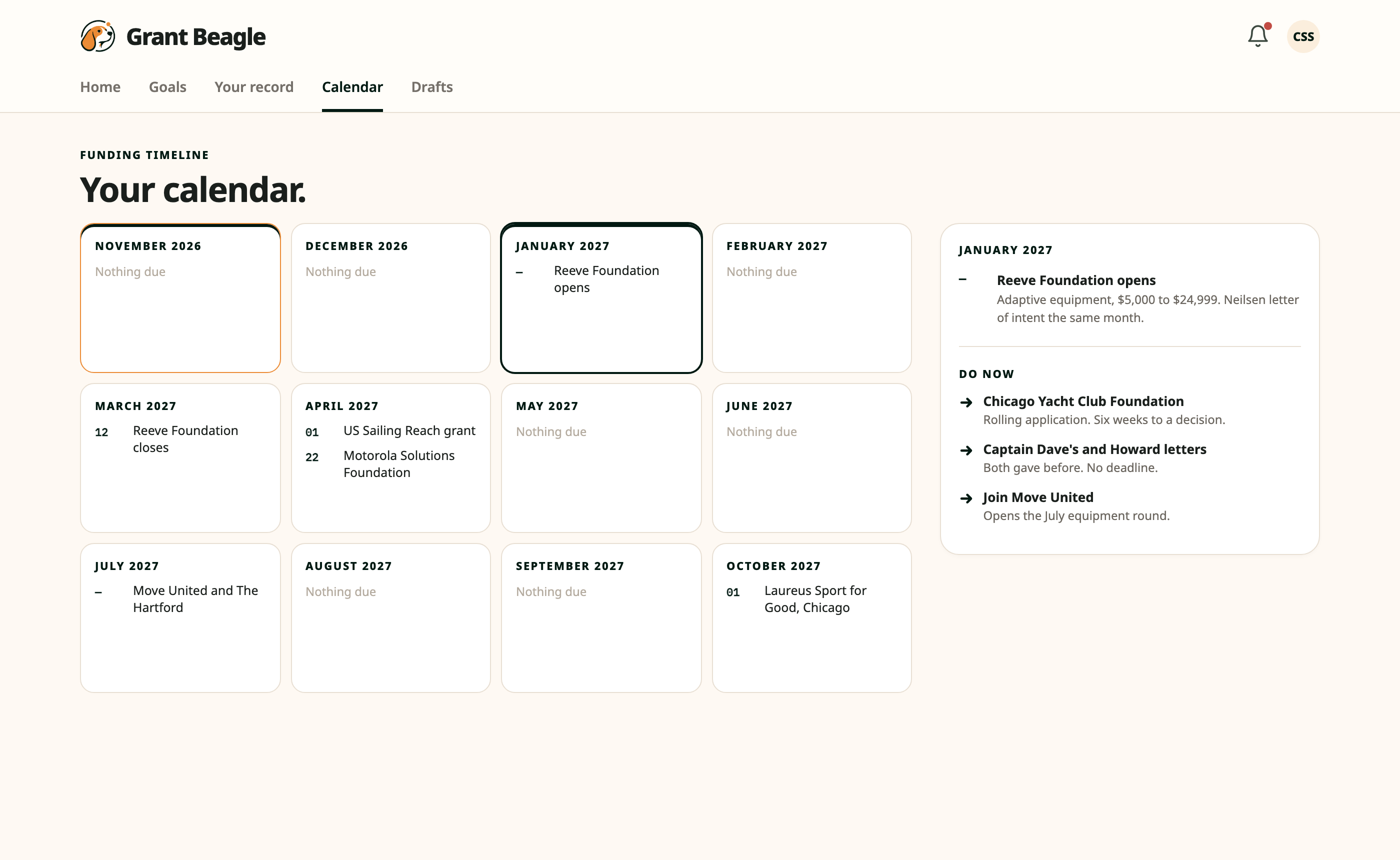
Download it, submit it yourself, and watch the calendar.
Nothing is ever sent for you. Every opening, deadline, and renewal sits on the next twelve months, each date from the funder's own page or its last cycle.
- Click a month and its list opens beside it.
- The bell holds anything that changed, and any question the worker still has for you.
One flat fee. Never a percentage.
Cancel any time. Paid from your operating budget, never from grant funds.
Same page, same watching.
The two we get first.
- How do we use AI?
- To read public records at a scale no person can, match them to your organization, and draft in each funder's own sections from what the record already says. A person checks what reaches you.
- Where do the numbers come from?
- Each one names its source on the page: the contract number, the tax return, the funder's own page. Point at a fact and the record is one click away.
What it never does.
- Submit anything
You read every draft and you submit it yourself, on the funder's own form.
- Contact a funder
No letters, forms, or emails go out from here.
- Invent a number
Blanks stay blank until you fill them. A starting figure is marked as an estimate, with its basis.
- Take a cut
A flat monthly fee. Never a percentage of an award.
Tell us who you are.
A person replies by email within two days.
Thanks. Expect an email from a person within two days.